

Download Prevent Restore Professional 2023 for Windows 11, 10, 8, 7 - A software program designed to securely delete and prevent the recovery of deleted files and folders from storage devices
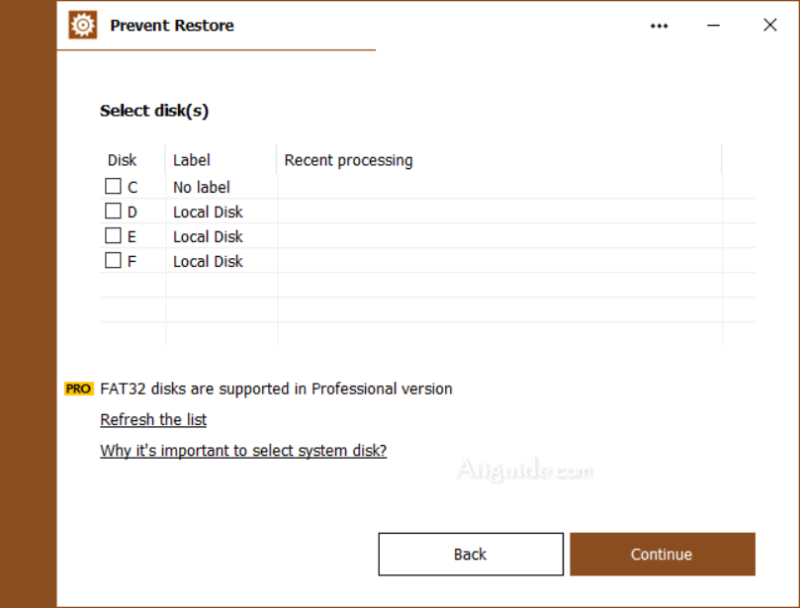
Prevent Restore Professional is a software program designed to securely delete and prevent the recovery of deleted files and folders from storage devices. It offers advanced data erasure techniques to ensure that sensitive information cannot be retrieved by unauthorized individuals.
The main purpose of this software is to make impossible recovery of files and folders which was deleted in the past. Software uses several security algorithms (DoD 5220.22, Gutmann and other). While working this software fills out information to the end of each cluster, leaving no chance to restore even just one word!
Features of Prevent Restore Professional
- Secure File Deletion: The software employs various data erasure methods, such as overwriting data with random patterns or zeros, to ensure that deleted files are irrecoverable.
- Full Drive Wiping: Prevent Restore Professional can perform a thorough wipe of entire drives or partitions, making it suitable for securely erasing data from hard drives, SSDs, USB drives, and other storage devices.
- Customizable Erasure Methods: Users can choose from different erasure algorithms and specify the number of passes for data overwriting, depending on their security requirements.
- File Shredder: The software includes a file shredding feature that allows users to securely delete individual files or folders by overwriting their content multiple times.
- External Device Support: Prevent Restore Professional can also erase data from external devices connected to the computer, such as USB drives or external hard drives.
- Verification and Reporting: After the data erasure process, the software provides a verification feature to ensure that the data has been successfully overwritten. It also generates detailed reports of the erasure process for record-keeping purposes.
- Simple and Intuitive Interface: The software offers a user-friendly interface, making it easy to select the desired erasure options and initiate the data wiping process.